Advantages
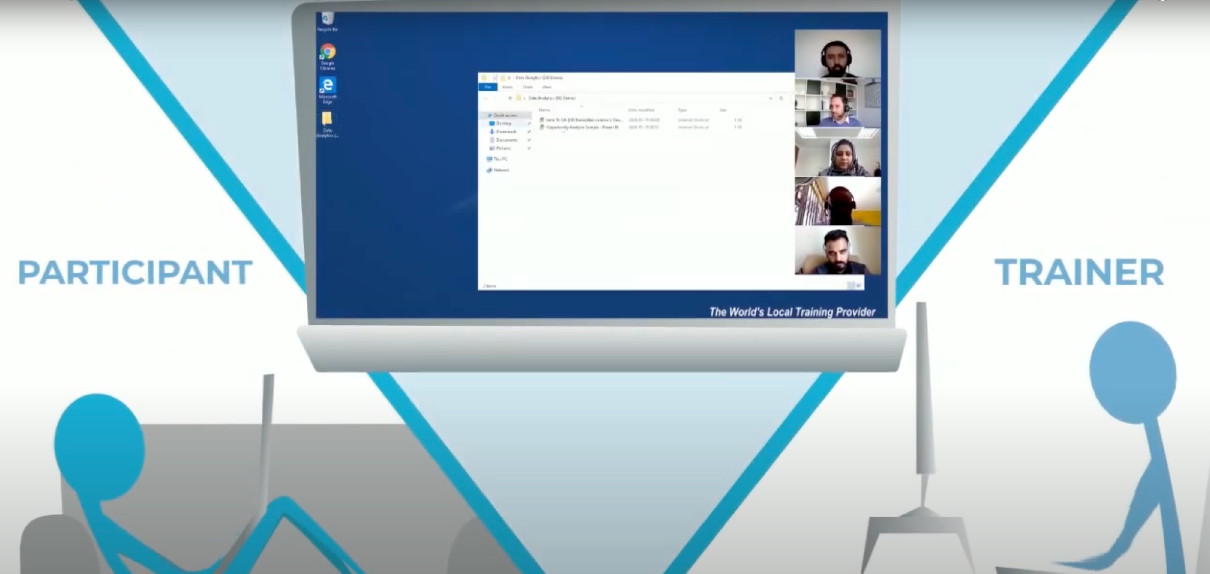
Companies seeking to offer live, instructor-led training gain huge advantages from using a cloud desktop. The real value becomes clear when running IT courses with participants spread across various locations.
An growing number of companies have also chosen DaDesktop for in-person, live, instructor-led training, because it simplifies pre-installing and setting up complex software, then effortlessly cloning it to dozens or hundreds of cloud desktops.
Below are some of the reasons that instructors, participants, and organizations in Indonesia chose DaDesktop for their training needs and the benefits they experienced.
Organizations (companies, learning institutions, government)
-
Cost-effective
- Compared to AWS, Azure, or Google Cloud, DaDesktop is significantly less expensive.
- Because DaDesktop is designed for short-term cloud desktop use rather than long-term hosting, a simpler and much more affordable pricing model can be applied.
-
Scalable
- Organizations leverage DaDesktop to run IT training for large groups, cloning a pre-set cloud desktop to over 50 participants simultaneously without any issues.
- DaDesktop servers store thousands of VM images continuously, enabling participant numbers far beyond a standard classroom's capacity.
-
Fast
- With DaDesktop, cloud desktops spin up rapidly when a session starts and shut down just as quickly once it ends.
- Cloning a DaDesktop cloud desktop is over 100 times faster than duplicating an AWS instance or a physical classroom machine.
-
Convenient
- The user-friendly interface lets you configure and tweak the learning environment on the fly, even mid-session.
-
Extensible
- DaDesktop offers a handy way to request new features.
- DaDesktop supports a public API, and extensions allowing for custom integrations with LDAP, OpenID-Connect, and LMS systems.
-
Secure
- User data is never stored beyond the training session’s duration.
- Each cloud desktop is built as a temporary and isolated computing space.
-
Accessible
- There’s no need for IT to approve software that pierces the corporate firewall.
- A full Windows or Linux desktop is directly available in the browser with no plugin installation.
-
Public, Private and On-premise
- DaDesktop is accessible via public or private servers, offering varying exclusivity levels.
-
DaDesktop can also be deployed on-premise right in your own datacenter.
Try DaDesktop today!
Instructors
-
Convenient
- Trainers can launch exactly the number of cloud desktops required, assigning one per participant for the whole session.
- By pre-installing and configuring one cloud desktop with all required software and OS settings, the instructor can clone it for any number of learners, saving valuable class time that would otherwise be lost on setup.
- Instructors can run entire sessions through a browser on their laptop, from home or office.
-
Fast
- Multiple cloud desktops for all participants can be launched simultaneously in seconds.
-
Interactive
- Instructors can view and even take over participants' desktops at any moment, mimicking the in-person classroom experience.
-
Recordable
- Trainers can record the whole session for later sharing with attendees.
-
These recordings also serve as self-review material to improve future courses.
Try DaDesktop today!
Participants
-
Convenient
- Attendees simply open DaDesktop in their laptop or PC browser via a URL shared by the trainer—no extra steps.
- No software installation is needed; once logged in, participants use a full Windows or Linux desktop right in the browser.
- The moment they join, all pre-loaded tools, resources, and exercises prepared by the instructor are ready at their fingertips.
- Switching to browser full-screen mode makes the cloud desktop feel like a native operating system, not a windowed browser session—it fills the entire screen seamlessly.
-
Learners can attend training comfortably from home or office.