Advantages and Key Benefits
Cloud desktops offer substantial value to organizations aiming to provide live, instructor-led training. This advantage is particularly evident when delivering IT curriculum to participants located in various physical regions.
A growing number of organizations have adopted DaDesktop for local, live, instructor-led sessions, primarily because it allows for the effortless pre-installation and configuration of complex software applications, which can then be rapidly cloned across dozens or even hundreds of cloud desktops.
The following sections outline the key reasons why instructors, participants, and organizations select DaDesktop for their training requirements, along with the specific benefits they have realized.
Organizations (corporations, academic institutions, government entities)
- Cost-efficiency
- Utilizing DaDesktop is far more economical than relying on cloud infrastructure from AWS, Azure, or Google Cloud.
- Because DaDesktop is optimized for short-term cloud desktop usage rather than long-term server hosting, it enables a simplified and significantly lower-cost pricing structure.
- Scalability
- Businesses leverage DaDesktop to conduct IT training for large cohorts, seamlessly cloning pre-configured cloud desktops to over 50 students simultaneously without technical issues.
- DaDesktop servers are capable of maintaining thousands of virtual machine images concurrently, allowing the scale of course participants to extend well beyond the capacity of a standard physical classroom.
- Speed
- With DaDesktop, cloud desktops are rapidly provisioned at the start of a training session and efficiently decommissioned once the session concludes.
- Cloud desktops on DaDesktop can be cloned at a rate more than 100 times faster than an AWS public-cloud instance or a traditional classroom workstation.
- Convenience
- An intuitive interface facilitates real-time setup and adjustments to the learning environment, even after the class has commenced.
- Extensibility
- DaDesktop offers a streamlined process for requesting new features.
- DaDesktop supports a public API and extensions, enabling seamless custom integration with third-party platforms such as LDAP, OpenID-Connect, and LMS systems.
- Security
- DaDesktop ensures that no user data is retained beyond the duration of the training session.
- Every cloud desktop is engineered to be a transient, self-contained computing environment.
- Accessibility
- There is no requirement to seek IT department approval for software to bypass corporate firewalls.
- The complete Windows or Linux OS desktop environment is accessible via the browser, eliminating the need for any plugin installations.
- Public, Private, and On-premise Deployment
- DaDesktop can be accessed via public or private servers, offering users varying degrees of exclusivity and control.
-
Additionally, DaDesktop can be deployed on-premise within the customer's own data center.
Experience DaDesktop today!
Instructors
- Convenience
- Instructors can provision as many cloud desktops as required, allocating one to each participant for the duration of the training session.
- Instructors can pre-install and configure a single cloud desktop with the necessary software and OS settings, then easily replicate that environment to any number of participants. This eliminates time-consuming setup adjustments during class.
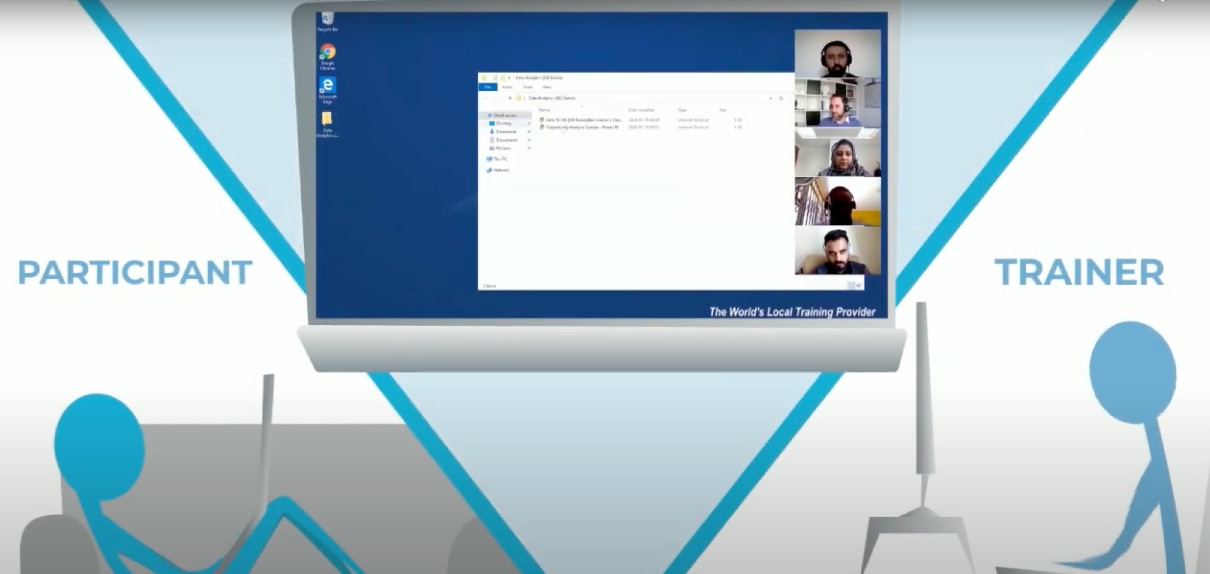
- Training sessions can be conducted entirely through a browser on a laptop, from the comfort of a home or office setting.
- Speed
- Instructors can launch multiple cloud desktops for various participants simultaneously within seconds.
- Interactivity
- Instructors can not only view participant screens but also assume full control of their desktops at any moment, mirroring the dynamics of a live classroom.
- Recordability
- Trainers can record the entire training session to share with participants later.
-
Recorded sessions can also be reviewed by instructors to self-assess and improve future course delivery.
Experience DaDesktop today!
Participants
- Convenience
- Participants can access DaDesktop from a laptop or PC browser using only the URL provided by the instructor.
- No software installation is required. Participants simply log in to DaDesktop and start utilizing the Windows or Linux OS desktop environment directly in their browser.
- Upon joining a training session, participants have immediate access to all tools, materials, and exercises prepared in advance by the instructor.
- When participants switch their browser to "full-screen" mode, the cloud-based Windows or Linux environment occupies the entire screen, providing the feeling of a native OS running on their device rather than a browser-embedded application.
- Participants can complete training sessions from the comfort of their home or office.