
Create a New Course
-
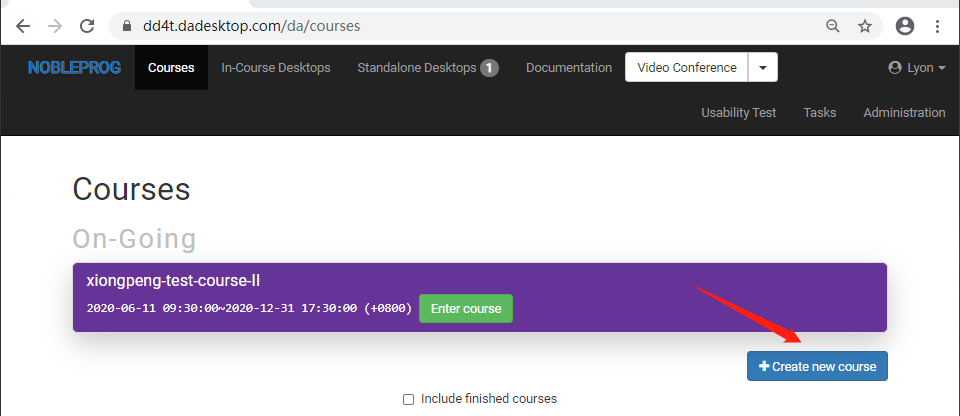
Click the blue button "Create new course"
-
Select the schedule for using DaDesktops in the course, along with the number of delegates and the nearest data centers, etc.
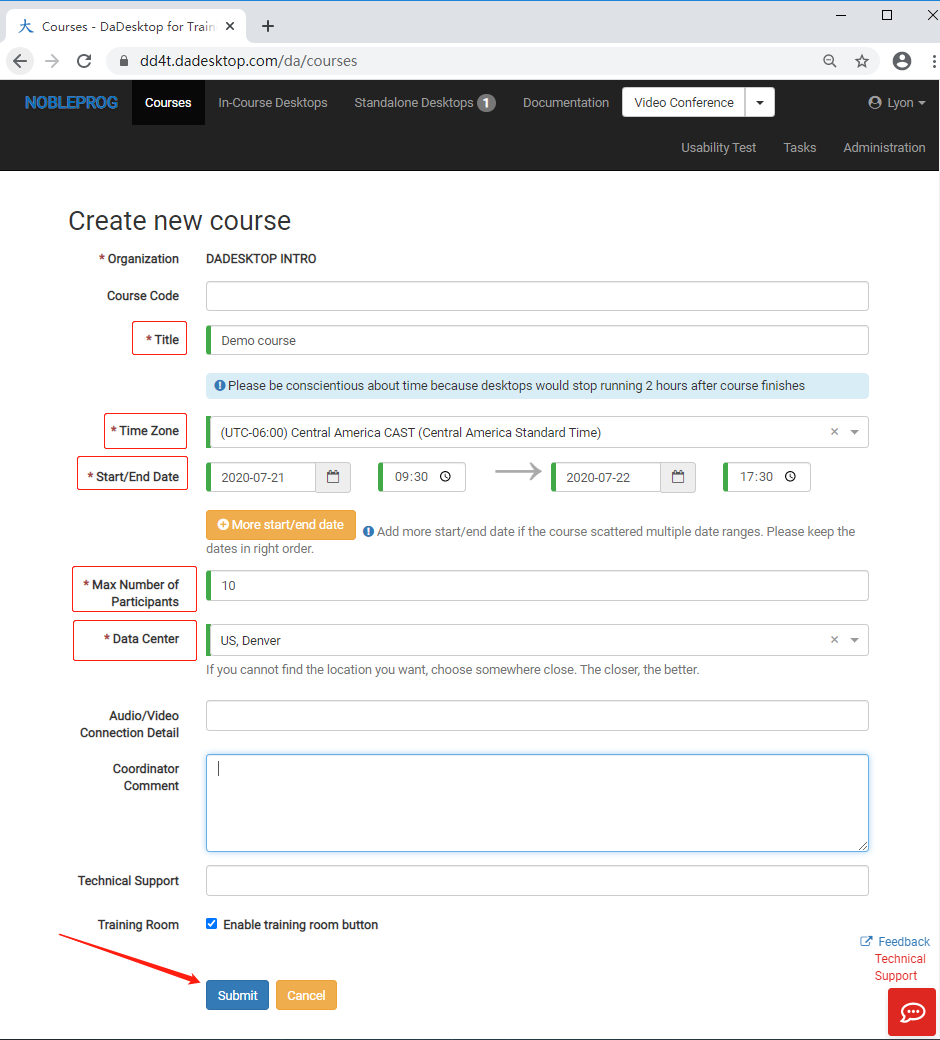
- Press submit to complete the process. If you need to change any details, you can edit them directly in the course later.