Handling Operating System Templates
Naming Guidelines for OS Templates
We exclusively use lowercase letters and dashes when naming templates.
Follow this convention so the app can properly categorize and sort templates.
<os>
Avoid using dashes in the <os> segment
<key><number>
Examples:
centos8
debian12
win10
ubuntu2404
ubuntu2204
<template>
<os>-template-v<number>
Examples:
debian12-template-v21
ubuntu2204-template-v17
kali-template-v2
<dd4w>
dd4w-tpl-lxc-<os>-v<number>
dd4w-tpl-kvm-<os>-v<number>
Examples:
Must start with 'dd4w-'
Examples:
dd4w-tpl-kvm-win10-v5
dd4w-tpl-lxc-ubuntu2204-v2
Template Distribution
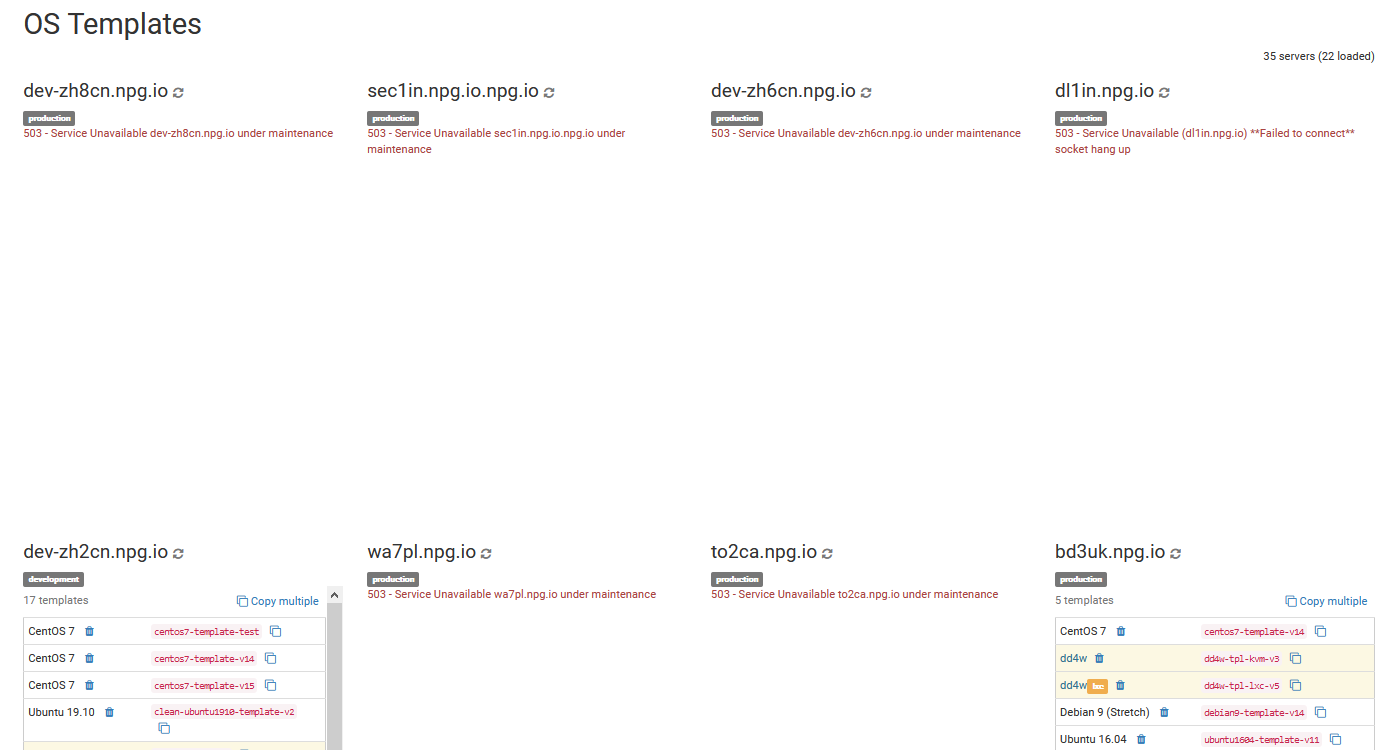
In this section, you can copy, delete, or compare all OS templates within your cloud. Keep in mind that moving numerous templates may affect your server's network performance and overall experience. It's best to perform copy operations outside peak hours.
Batch Removal of OS Templates
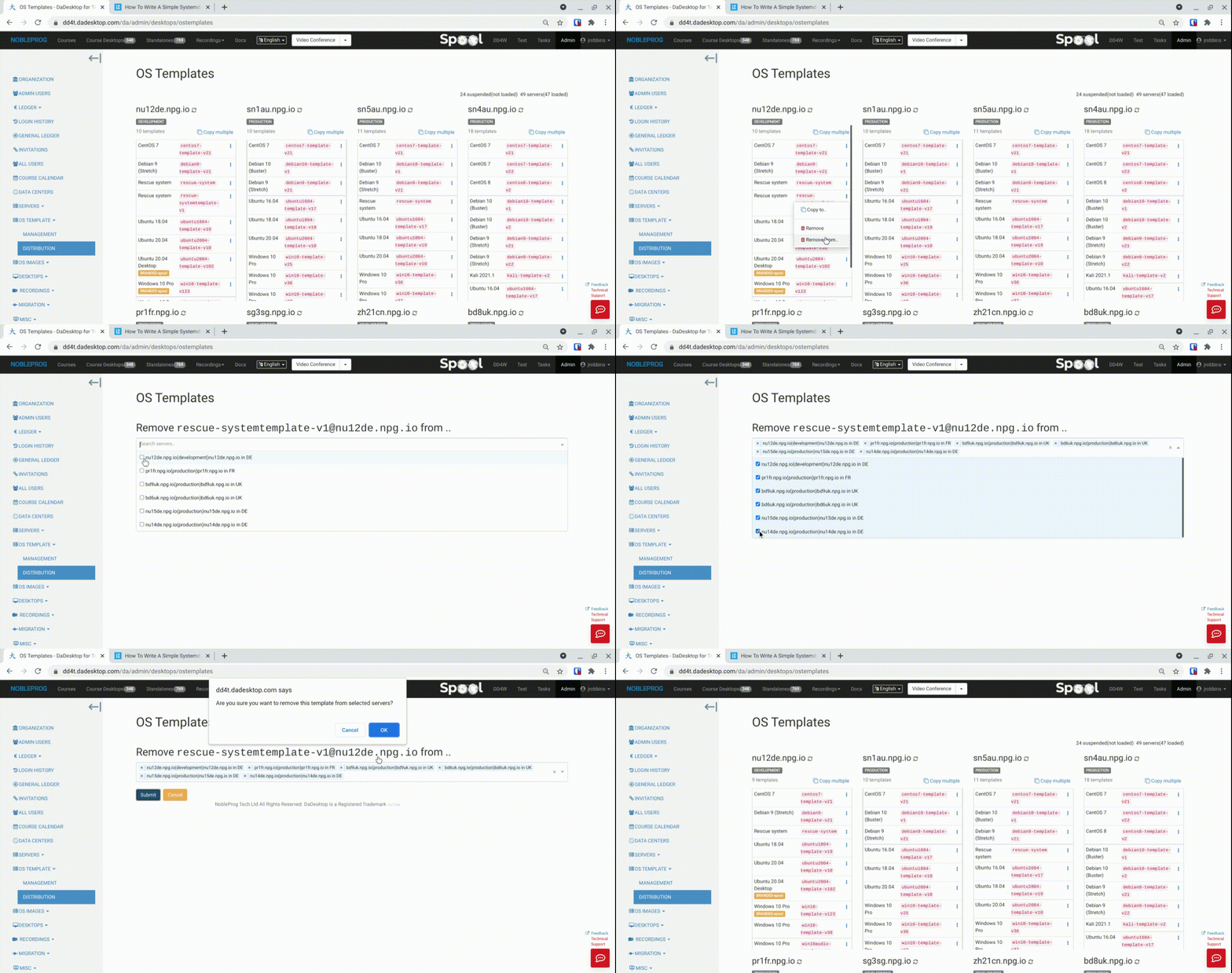
A newly added feature enables bulk deletion of templates across multiple servers simultaneously. Previously, this was a slow and tedious chore, but now it's swift and straightforward.
- Select a server containing the desired template and pick 'Remove from .. ' ('Remove' is for deleting a single template)
- A list displaying only the servers that contain this specific template will appear
- Check the servers from which you want to delete the template
-
Hit 'Submit' and confirm, after which the templates will be removed