
Support Across Multiple Regions
The trainer finalizes the standalone setup.
-
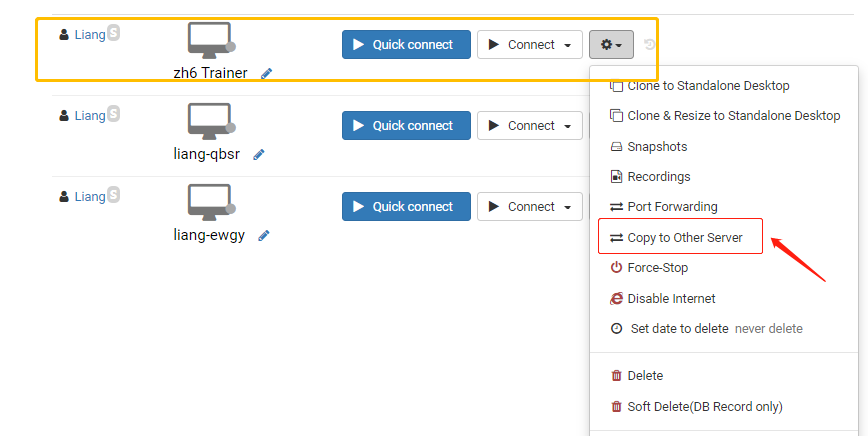
The trainer clicks Action and selects "clone to another server" .
-
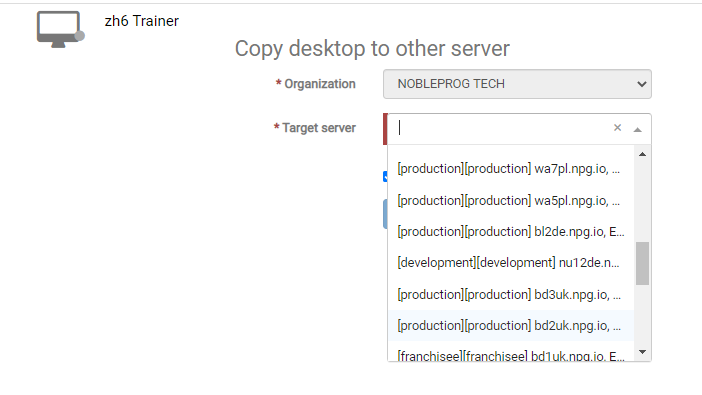
Choose the server delegates that will ensure a fast connection.
-
Go back to course Desktops and pick "clone from standalone" to replicate the proper servers
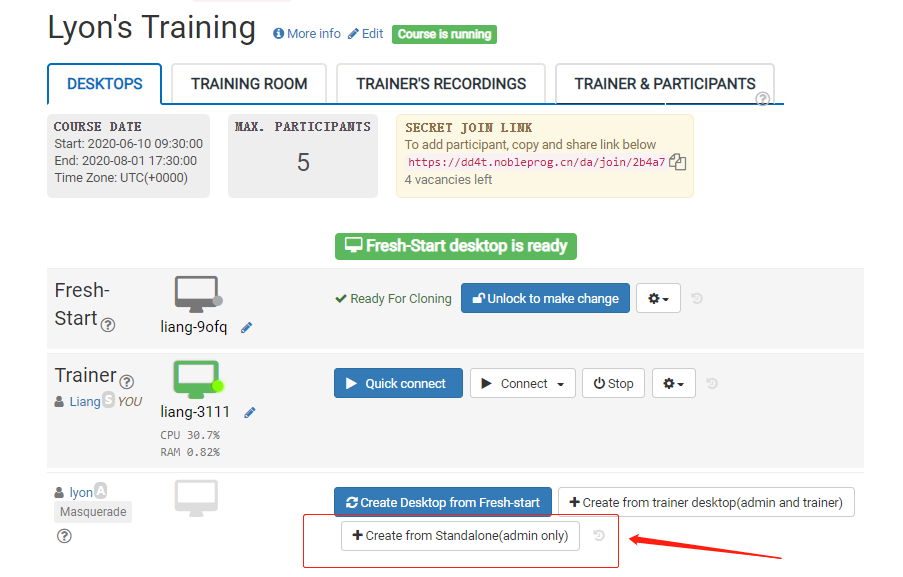
- Delegates can utilize the DaDesktop (Virtual Machine) using the quickest connection from their locations in Indonesia.