
My Account
Every user can adjust several personal settings from their account.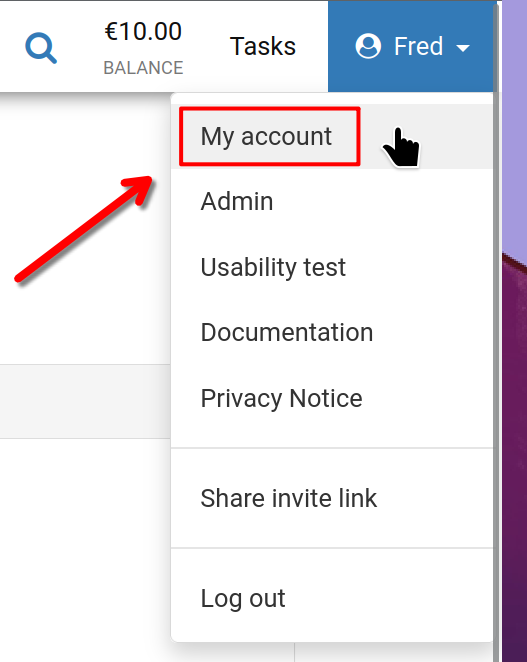
Start by clicking your username in the top right corner, then select 'My account' as pictured.
My Account
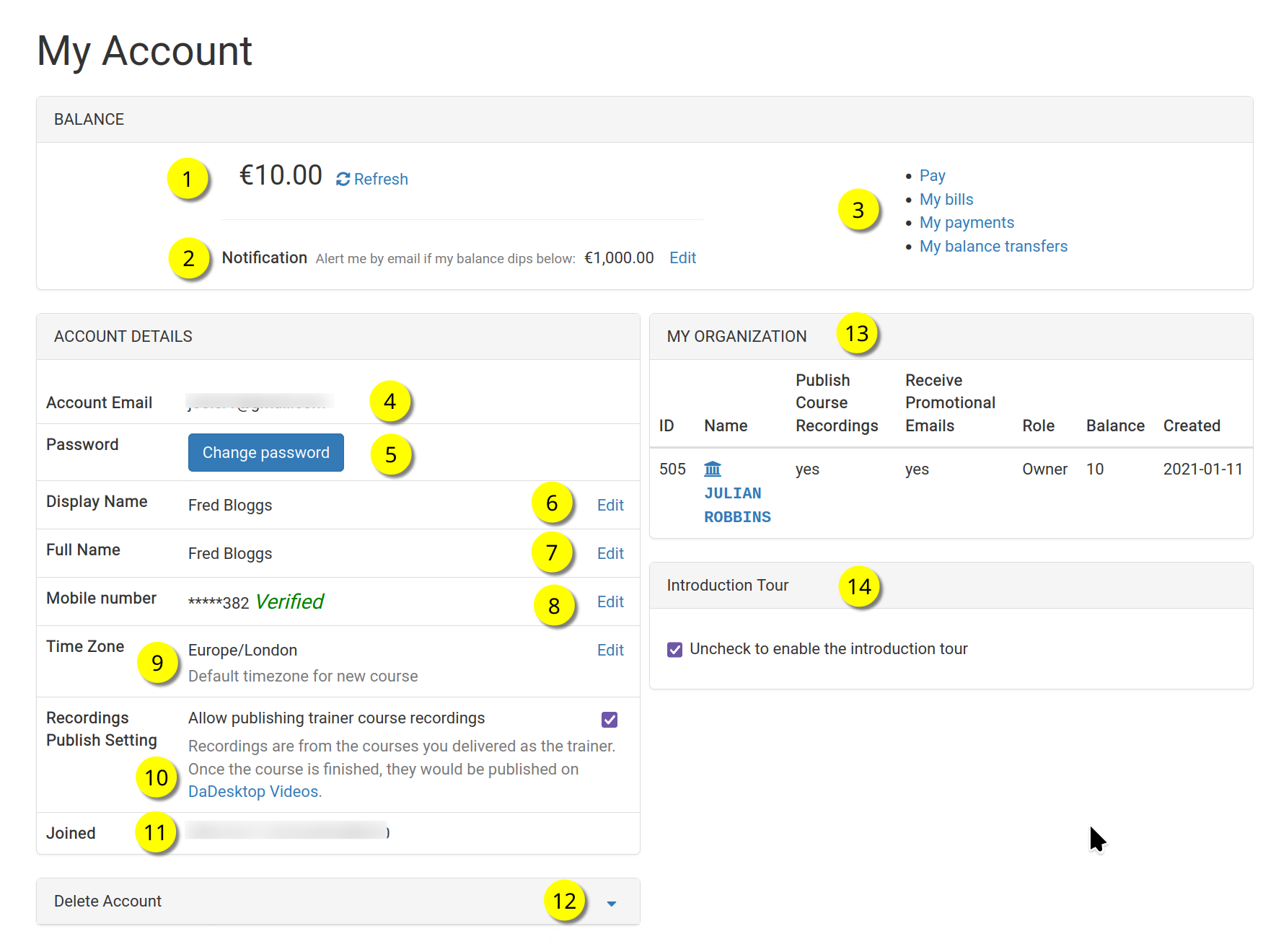
This is your 'My Account' page.
Refer to the numbered items below for an explanation of each feature
Key
| Description | ||
|---|---|---|
| 1 | Balance | Displays your current balance. |
| 2 | Notification | You can choose to receive an email alert when your balance falls below a threshold you define. |
| 3 | Billing Links | Here you’ll find links to make payments, check your balance, view past transactions, and transfer funds. |
| 4 | Account Email | This cannot be modified. |
| 5 | Password | Update your password from this section. |
| 6 | Display Name | This name appears publicly and can be updated whenever needed. |
| 7 | Full Name | Your full legal name, which you can edit at any time. |
| 8 | Mobile Number | Change your mobile number if needed. |
| 9 | Timezone | Set this so all times display in your local time zone. |
| 10 | Recordings Publishing Setting | If you are a trainer, you can control whether course recordings from your machine are published on the dadesktop.com/videos site. |
| 11 | Joined | The date you became a DaDesktop member. |
| 12 | Delete Account | Want to permanently delete your DaDesktop account? Click here and all your data will be erased. |
| 13 | My Organisation | You can also create an Organization under your account. This area shows your organization's information. |
| 14 | Introduction Tour | If you'd like to see the introductory tour again, simply uncheck this box to re-enable it. |