
Overcommitting Coefficients
This capability is exclusive to DaDesktop Private Server (DDPS) and DaDesktop On-Premise (DDOP).
As courses grow more complex and demanding in terms of processing power—particularly when dealing with nested virtualization or increased performance needs for many trainee desktops—you might occasionally encounter an error like this one:

This warning typically relates to CPU, memory, or disk space shortages. Your initial step should be attempting to relocate the machine(s) to a server or data center with lighter load, or scaling down the resource demands whenever feasible.
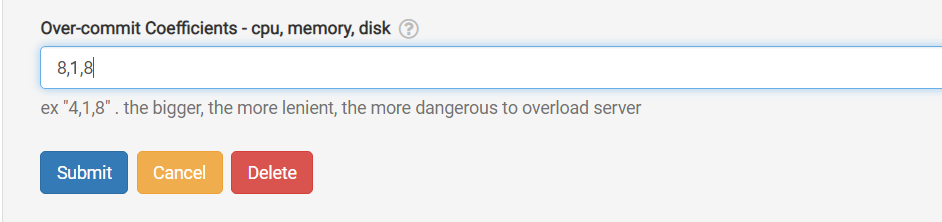
When neither choice is possible, and the running units only slightly exceed the usual maximum, a quick fix is to temporarily over-commit the CPU, memory, or disk coefficients. You can do this through the GUI as shown below.
Navigate to /da/admin/servers/all, click the Edit button for your server, and then scroll down to the relevant section.
The server list will also indicate machines currently using over-committed coefficients, which is handy when you need to clear them after a course ends and revert those coefficients to their default values.
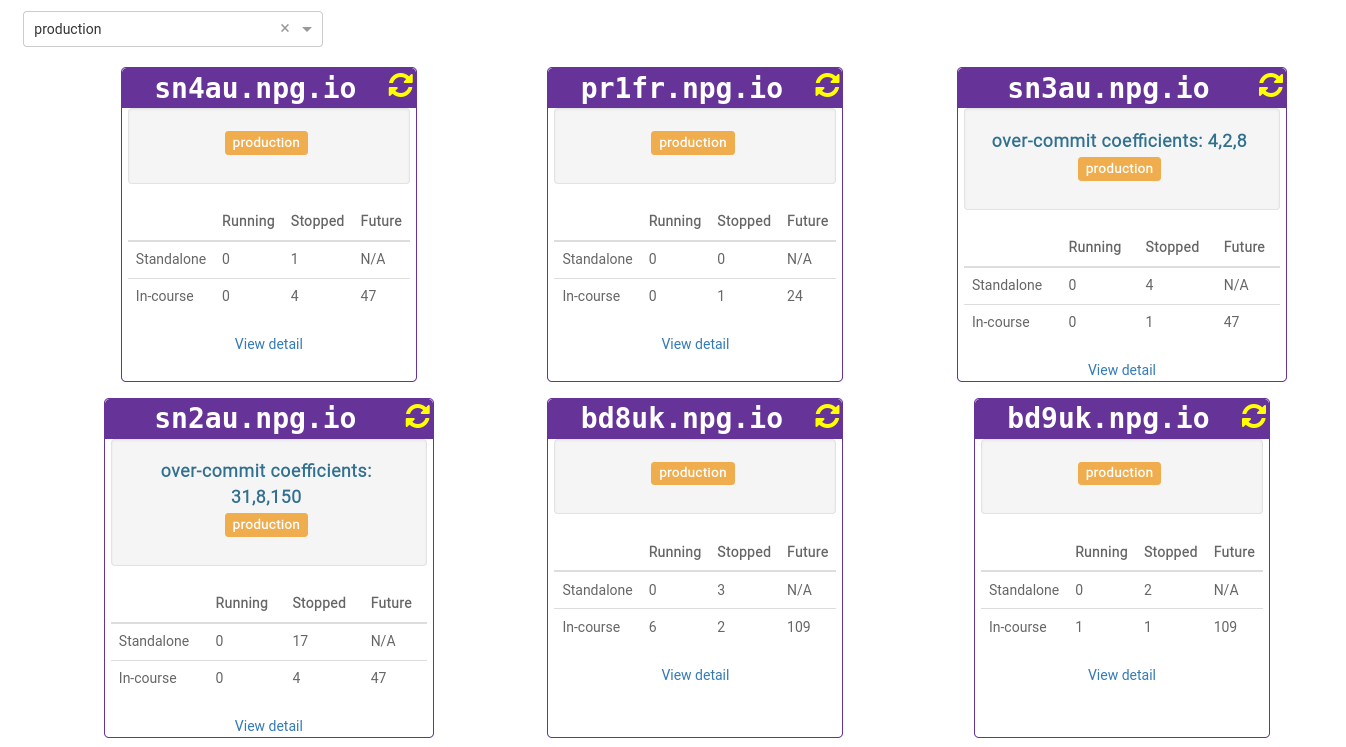
Treat any adjustments as a temporary fix, not a lasting remedy for resource shortages. Once the course concludes, revert the changes that were made to allow the course to proceed.
Requirements for DaDesktop On-Premise
The over-commit capability relies on tpapi which is integrated into the DaDesktop codebase. Tpapi currently only supports Python 3.12, so the operating system must be at least Ubuntu 23.10.