
Continuing to Use the Desktop After a Course Finishes
DaDesktop offers a handy option: participants can keep using their training machine to practice even after the course has ended. Shortly before the course wraps up, they receive an email asking if they'd like to continue accessing that desktop once it's over.
Usually, your course desktop gets taken down shortly after the training finishes. If you'd like to hold onto it to practice your lab work further, you can clone it into a 'Standalone Desktop' for future access. Go to your Course and find your Desktop machine, then click the 'Use desktop after course' option next to it.
Please visit your Course, and your Desktop machine and click the 'Use desktop after course' next to your machine.
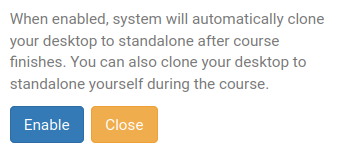
Next, DaDesktop walks you through a straightforward process and lets you 'Enable' this feature.
After enabling, the following will appear next to your course machine

When the course ends, open the Standalones menu at the top of your screen to reach your standalone machine.
Machines idle for a month get taken down, but a notification email is sent beforehand so you have enough time to decide whether to keep any standalone machines you're still using.
For more on managing your standalone machine retention, check out this page.